








Important. This app must be used with the accompanying Google Chrome extension: Comment Security Default on the Chrome Web Store. If the Chrome extension is not present then the defaults will not be set and the coloring will not be applied.
What Comment Security Default does
In native Jira, the comment-security drop-down defaults to “Viewable by all users”. Every time someone writes a comment, they have to remember to change that drop-down if the comment is sensitive. If they forget — and people do forget — the comment is public to everyone with Work Item access.
That’s a fail-open design. It puts the burden of getting security right on every user, on every comment, every time. For most teams that’s wrong; for regulated teams, customer-facing teams, or anything touching legal/HR/financial/compliance/security data it’s a quiet, ongoing leak.
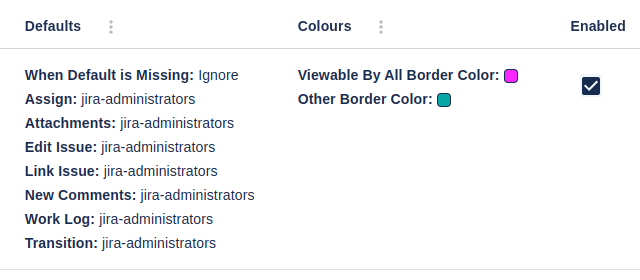
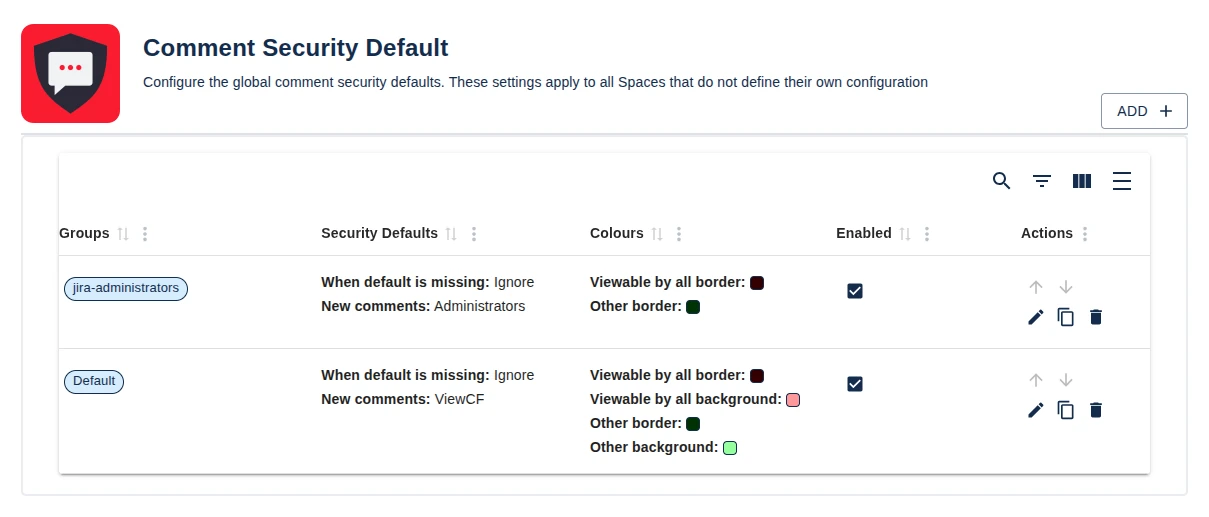
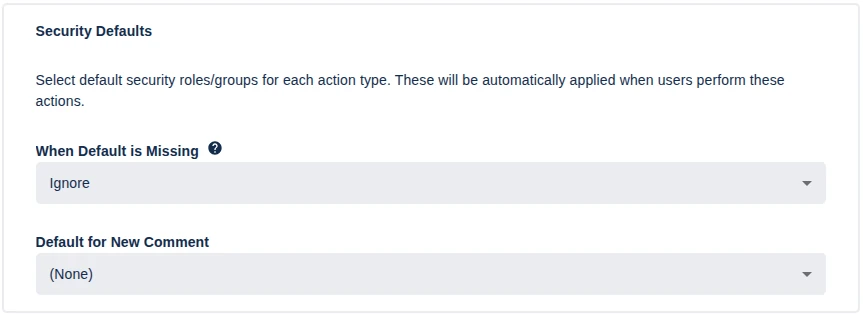
Comment Security Default flips it to fail-closed. A Jira administrator configures the safe default — by group, by role and defined by Space or globally — and that default is applied automatically. Users have to actively make a comment more visible, not less. The most common configuration mistake (forgetting to restrict) becomes impossible.
Key features
- Default security level for everything. New comments and, coming soon, comments on transition dialogs.
- Multiple configurations per scope. Define many configurations side-by-side — for example, “support team gets the Sports user group by default; engineering team gets the engineering group by default; everyone else gets Viewable to all”.
- Global + space-level scope. Space configurations override global ones for that Space. Use global config for sitewide policy plus per-Space overrides where teams need different defaults.
- Service Desk / JSM/CSM support. Support for JSM/CSM/Service Desk can be turned on or off.
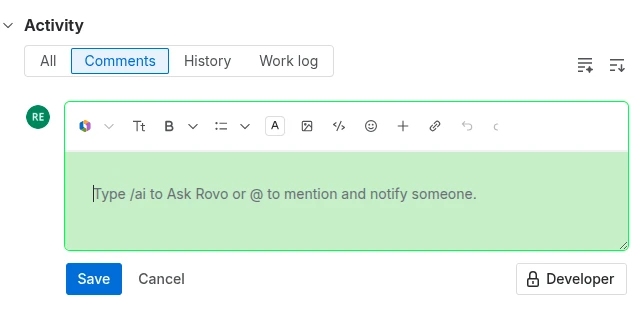
- Color-coded comment fields. Highlight comment input fields with custom background and border colours depending on whether the comment will be public or restricted. The user sees, before clicking Save, whether the comment is viewable to all or a Space role/user group.
- Works on JSM/CSM/Service Desk and Jira Agile. Full support for both, plus standard Jira Software, Business, and Service Management Spaces.
What teams use Comment Security Default for
- Regulated industries (compliance, security, finance, healthcare, government). Default comment visibility for compliance/security/clinical/financial/legal context defaults to a restricted group. Users have to actively choose to make something visible to a wider audience — and that choice is now an explicit decision rather than an oversight.
- Legal and HR. Sensitive case notes default to a small group; “share with the wider team” is an explicit, deliberate action.
- Multi-tenant / MSP environments. Configurations per Space mean Customer A’s comments default to Customer A’s group, and Customer B’s Space has its own default — no cross-tenant comment exposure.
- External contractors / vendors. Whichever Spaces external collaborators have access to, default the comment visibility to “internal team” so the default direction is “keep this in” rather than “let it out”.
Why customers choose Comment Security Default
- Fail-closed instead of fail-open. The single largest source of accidental information disclosure in Jira (forgetting to restrict a comment) becomes structurally impossible.
- No retraining required. Users don’t change how they work — the right default just happens. Behaviour change is on the configuration side, not on every team member.
- Per-group. Tuned to the exact policy a team needs, not a single sitewide setting.
- Visual confirmation before save. Color-coded comment fields tell users instantly whether the comment is going to be public or restricted — before they hit Save.
- JSM/CSM. Define whether defaults and coloring affect JSM/CSM Spaces.
- No measurable performance impact. The app only acts at comment creation.
- Long track record. On Marketplace for many years with strong reviews from regulated-industry customers.
How Comment Security Default compares
| Capability | Comment Security Default | Native Jira | Manual policy + training |
|---|---|---|---|
| Default visibility for new comments | ✓ | “Visible to all” hard-coded | n/a (relies on user memory) |
| Per-group defaults | ✓ | ✗ | n/a |
| Per-Space defaults | ✓ | ✗ | n/a |
| Global defaults | ✓ | ✗ | n/a |
| Color-coded comment fields | ✓ | ✗ | n/a |
| JSM/CSM support configurable | ✓ | Partial | n/a |
| Reduces risk of accidental disclosure | ✓ | ✗ | Partial |
Rule of thumb. Any team where the cost of an accidentally-public comment is higher than the cost of an accidentally-restricted comment should run Comment Security Default. That includes essentially every regulated, customer-facing, legal, HR, or security-conscious team.
Free trial and pricing
Comment Security Default has a free trial on the Atlassian Marketplace. Pricing is set on the apps Atlassian Marketplace page with tiers by Jira user count — see the live tier table on the Marketplace listing.
Security and platforms
Comment Security Default for Jira cloud is a Forge-native app that stores all it’s information within the Jira instance. No data is stored in our servers. All information is kept with Forge and the Jira instance. Full details are in the Cloud Security Statement.
See also
- In-depth user guide — Comment Security Default user guide
- Reviews — Comment Security Default Reviews
- Marketplace listing — Comment Security Default on the Atlassian Marketplace
Book a demo
Want a walkthrough of Comment Security Default tailored to your team’s compliance, security or JSM needs? Get in touch via the Contact Us page and we’ll set up a live demo.